SafeScan vs Open Food Facts
Open Food Facts is a free, non-profit, collaborative food database, and SafeScan uses it for barcode lookups. Its own app shows Nutri-Score, NOVA, Eco-Score and food preferences including allergens, in many languages, and lets you add missing products. SafeScan builds an allergy-focused check on top: family profiles, diets like halal and kosher, "may contain" handling and label scanning when a product is missing.
We make SafeScan, so we're not neutral. Every fact about Open Food Facts below comes from its US App Store listing or official website, linked under Sources. How we compare apps.
At a glance
| SafeScan | Open Food Facts | |
|---|---|---|
| Price | Free download; optional SafeScan Pro (monthly or yearly) | Free |
| App Store rating | New app, not enough ratings yet | 4.4 from 143 ratings |
| Privacy label | Data Not Collected | Data not linked to you: usage data, diagnostics |
| Allergen checking | 9 major + 11 extended allergens, custom avoid list | Allergens are one of its food preference criteria |
| Diets (halal, kosher, low FODMAP) | Yes, 6 diets | Not listed in the description |
| Family profiles | Yes, with Scan for All | Not listed in the description |
| Nutrition and eco scores | No | Nutri-Score, NOVA and Eco-Score |
| Add missing products | No (scan the label to check it) | Yes, it's collaborative |
| Languages | English | Over 100 |
| Requires | iOS 18.6 or later | iOS 13.0 or later |
Prices, ratings and privacy labels as shown on the US App Store in October 2026. Privacy labels are reported by each developer and not verified by Apple. Check the listing before deciding, as they change.
Where Open Food Facts is stronger
Open Food Facts is a non-profit project built by thousands of volunteers, and its data powers many other apps. Its app is completely free, available in over 100 languages, and gives you nutrition (Nutri-Score), processing (NOVA) and environmental (Eco-Score) information. If a product is missing, you can photograph it and add it for everyone.
Where SafeScan is stronger
- Allergy-first verdicts. Safe, Caution, Review or Unsafe for each profile, with each flagged ingredient explained.
- Hidden names. More than 1,000 ingredient names matched to allergens, with exceptions for false alarms like cocoa butter.
- Families and diets. Separate profiles, Scan for All, and diets including halal, kosher, low FODMAP and low histamine.
- Missing products. Photograph the ingredient label and SafeScan checks it right away.
- Data Not Collected privacy label.
The bottom line
They’re complementary: Open Food Facts is the open database, and SafeScan is an allergy checker built on it. If you contribute products to Open Food Facts, SafeScan users benefit too.
Try SafeScan free
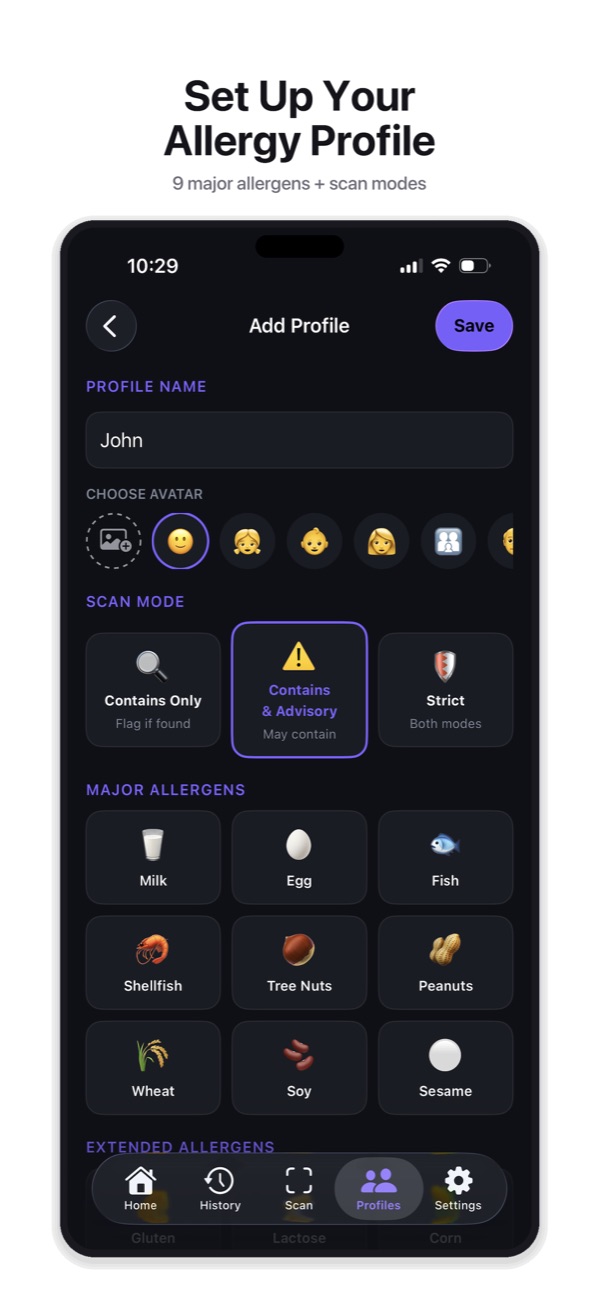
Set up an allergy profile in under a minute, scan a barcode or ingredient label, and get a Safe, Caution, Review or Unsafe verdict with the reason. No account, no tracking, and your profiles stay on your iPhone.
Download on the App StoreFree to download for iPhone and iPad. No account needed, and your profiles and scan history stay on your device.
Frequently asked questions
Does SafeScan use Open Food Facts?
Yes. SafeScan's barcode lookups and product search use the Open Food Facts database. Product data is provided under the Open Database License (ODbL).
Why use SafeScan if Open Food Facts is free?
If you only need nutrition and eco scores, Open Food Facts is excellent. SafeScan adds an allergy-focused check with family profiles, diets, sensitivity modes and label scanning.