SafeScan vs Yuka
Yuka and SafeScan answer different questions. Yuka asks "how healthy is this?" and scores food on nutrition, additives and organic status, and also scans cosmetics. SafeScan asks "is this safe for me?" and checks every ingredient against your allergies and diets. Allergen checking isn't mentioned in Yuka's App Store description. If you manage a food allergy, use an allergy app; Yuka is a good companion for general healthy eating.
We make SafeScan, so we're not neutral. Every fact about Yuka below comes from its US App Store listing or official website, linked under Sources. How we compare apps.
At a glance
| SafeScan | Yuka | |
|---|---|---|
| Price | Free download; optional SafeScan Pro (monthly or yearly) | Free download; Premium membership listed at $10, $15 or $20 |
| App Store rating | New app, not enough ratings yet | 4.8 from 100.6K ratings |
| Privacy label | Data Not Collected | Data linked to you: usage data, diagnostics. No tracking listed |
| Main purpose | Allergy and diet safety check | Health score based on nutrition, additives and organic status |
| Allergen checking | 9 major + 11 extended allergens, custom avoid list | Not listed in the description |
| Diets (vegan, halal, kosher) | Yes, 6 diets | Not listed in the description |
| Family profiles | Yes | Not listed in the description |
| Cosmetics | No | Yes, 2 million cosmetic products |
| Healthier alternatives | Safe alternatives with Pro | Yes |
| Download size | 7.7 MB | 215.2 MB |
| Requires | iOS 18.6 or later | iOS 15.5 or later |
Prices, ratings and privacy labels as shown on the US App Store in October 2026. Privacy labels are reported by each developer and not verified by Apple. Check the listing before deciding, as they change.
Where Yuka is stronger
Yuka is one of the most popular scanners on the App Store, with more than 100,000 ratings, and says it has 85 million users. Its database covers about 4 million food products and 2 million cosmetics. It scores food on nutritional quality, additives and organic status, suggests healthier alternatives, and says no brand can influence its ratings. If your goal is eating healthier in general, or checking skincare, Yuka does far more than SafeScan.
Where SafeScan is stronger
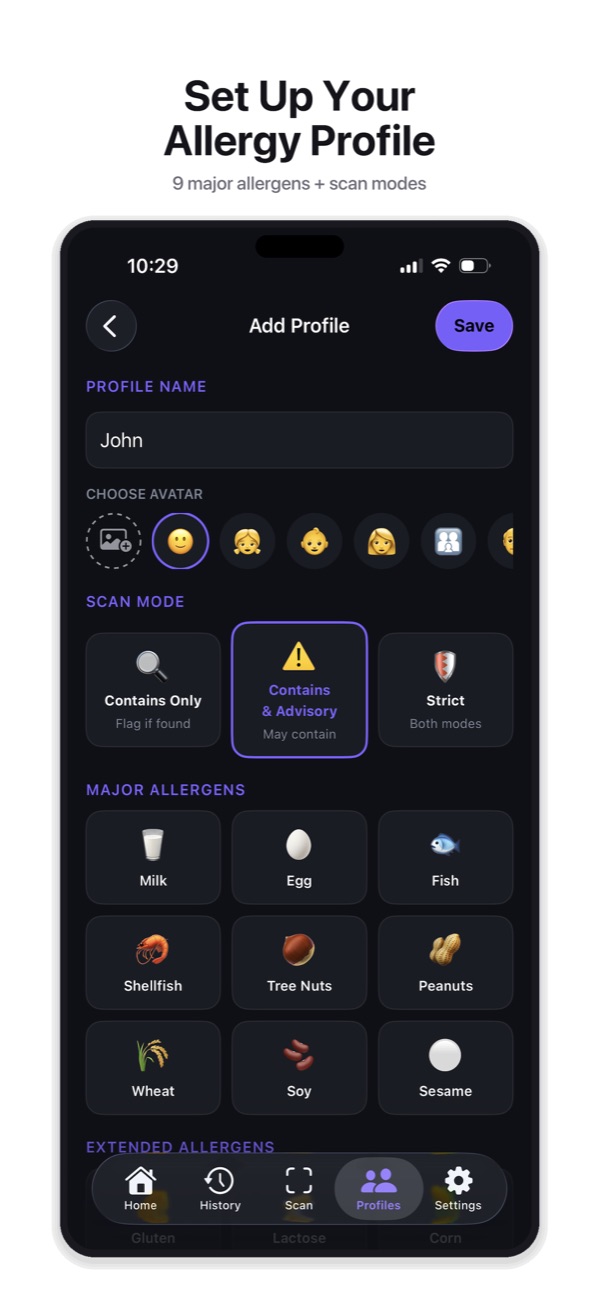
- Built for allergies. SafeScan checks every ingredient against your own allergens and diets, matching more than 1,000 ingredient names, and explains each match.
- Advisory labels. It reads “may contain” warnings separately and lets you choose how to treat them.
- Families. Separate profiles and Scan for All give each person their own verdict.
- Reads the label. When a barcode isn’t found, scan the ingredient list.
- Privacy. SafeScan’s privacy label is Data Not Collected.
The bottom line
A great health score doesn’t make a product safe for someone with a milk allergy, and a safe product isn’t necessarily healthy. For allergies and diets, use SafeScan; for nutrition scores, Yuka.
Try SafeScan free
Set up an allergy profile in under a minute, scan a barcode or ingredient label, and get a Safe, Caution, Review or Unsafe verdict with the reason. No account, no tracking, and your profiles stay on your iPhone.
Download on the App StoreFree to download for iPhone and iPad. No account needed, and your profiles and scan history stay on your device.
Frequently asked questions
Does Yuka check for allergens?
Allergen checking isn't mentioned in Yuka's App Store description, which describes ratings based on nutritional quality, additives and organic status. Check Yuka's own help pages for the latest features.
Can I use both apps?
Yes. Many people use Yuka for healthier choices and an allergy app like SafeScan to make sure a product is safe for their allergies.