Sensitivity modes
People react differently to the same label. SafeScan's three sensitivity modes let each profile decide whether "may contain" warnings and unknown ingredients should be flagged, from Contains Only to Strict.
Download on the App Store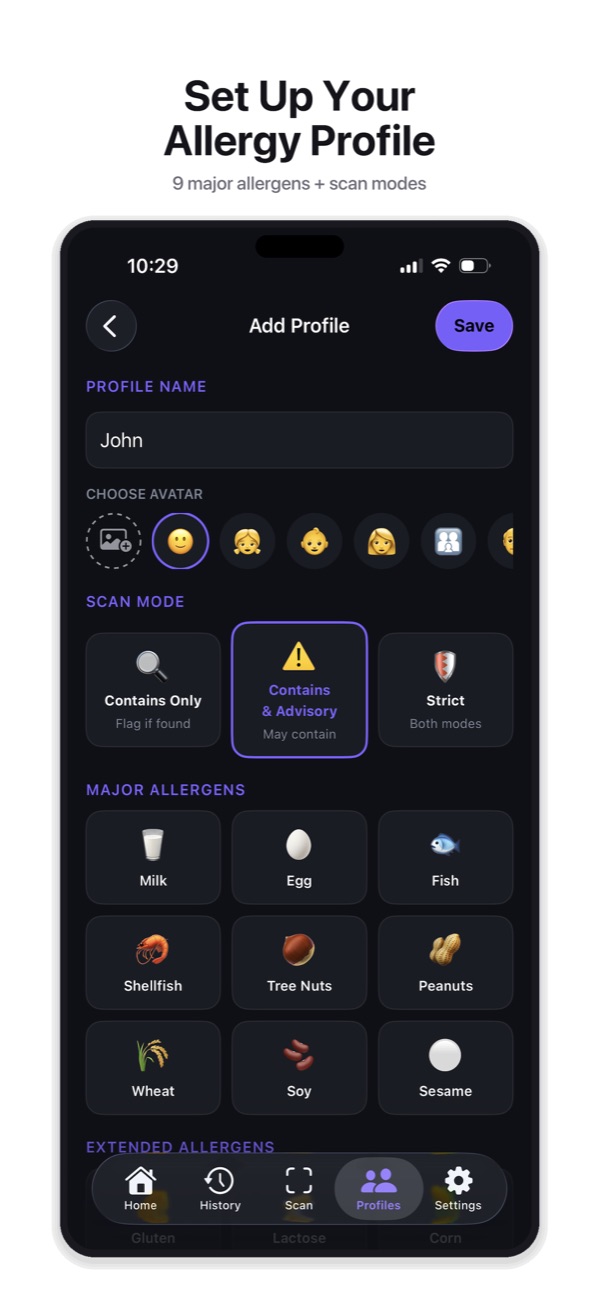
The three modes
| Mode | What gets flagged |
|---|---|
| Contains Only | Only direct hits: the allergen appears in the ingredients or the “Contains” statement. |
| Contains & Advisory | Everything above, plus “may contain” and “traces of” warnings. |
| Strict | Both of the above, and unknown or uncertain ingredients are treated as potentially unsafe. |
Why “may contain” is a choice
Advisory statements like “may contain peanuts” or “made in a facility that also processes tree nuts” are voluntary in the US. The FDA says they aren’t required by law. Two similar products can carry very different warnings, and some products with real cross-contact risk carry none. That’s why SafeScan lets you decide how to treat them, rather than deciding for you. Read more in what “may contain” means on food labels.
Label-aware parsing
SafeScan reads the parts of a label separately. An allergen in the ingredient list, a “Contains” statement, a “may contain” warning and a “free from” claim all mean different things, and SafeScan treats them differently. For example, “free from peanuts” doesn’t trigger a peanut alert.
Frequently asked questions
Which mode should I choose?
That's a decision for you and your doctor or allergist, based on how sensitive you are. SafeScan simply applies the rule you pick. Many people with severe allergies choose a stricter mode.
Can each family member use a different mode?
Yes. The mode is set per profile, so a child with a severe allergy can use Strict while another profile uses Contains Only.
More SafeScan features
Barcode and ingredient label scanner
Scan a food barcode, or photograph the ingredient label when there's no barcode. SafeScan reads the ingredients and checks them against your allergy profile.
Allergy profiles
Build an allergy profile in SafeScan with the 9 major US allergens, 11 extended allergens, 6 diets and a custom avoid list. Every scan is checked against it.
Family profiles
Create an allergy profile for each family member in SafeScan, then scan once and get a separate verdict for everyone. Built for parents and caregivers.
Scan history and favorites
SafeScan keeps every product you scan, grouped by date with its verdict. Filter by Safe, Not Safe or Needs Review, favorite trusted products and add notes.
Shareable allergy card
Turn any SafeScan profile into an allergy card listing allergens, diets and sensitivity, and send it to restaurants, schools, caregivers or friends.
Dietary restrictions
SafeScan checks food for vegan, vegetarian, halal, kosher, low FODMAP and low histamine diets alongside your allergies, and explains every ingredient it flags.
Hidden allergen detection
Whey is milk, albumin is egg and tahini is sesame. SafeScan's allergen dictionary maps more than 1,000 ingredient names to the allergens they come from.
Product search
Search food products by name or brand in SafeScan and see a safety verdict for your allergy profile before you go to the store, without scanning anything.
Product compare
Compare up to 4 food products side by side in SafeScan. See each verdict, flagged ingredients and warnings, and which is safer for your profile.